Overview
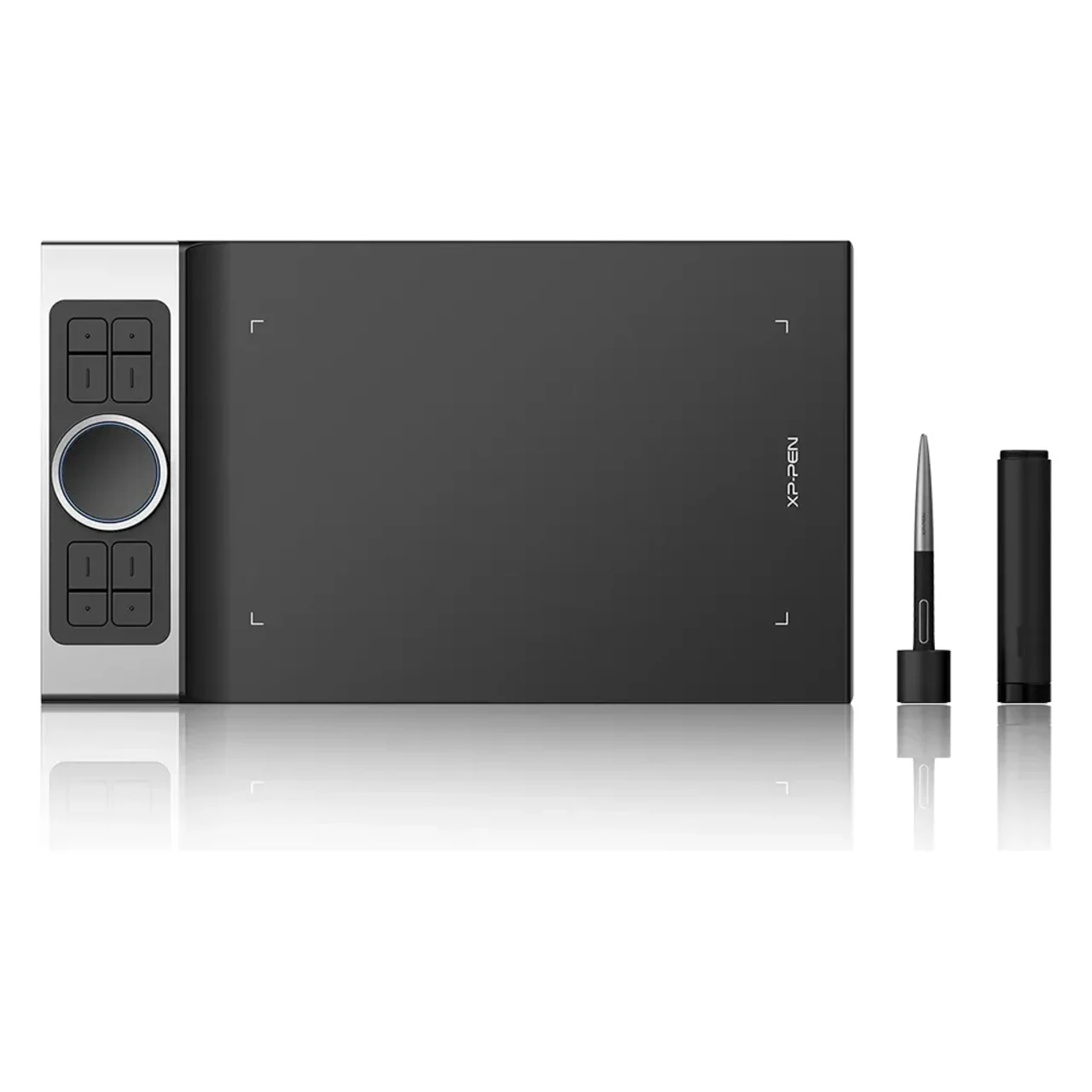
XP‑Pen Deco Pro Medium is a premium 11×6″ drawing tablet with a slim aluminum body, dual control wheels, and 8 shortcut keys. It includes a battery-free stylus with 8,192 pressure levels and 60° tilt support. Compatible with Windows, macOS, Linux, Android, and Chrome OS—ideal for professional art, design, and productivity.
| Usable With Both Hand | Yes |
|---|

XP Pen DECO PRO MEDIUM PRICE IN PAKISTAN
The XP-Pen Deco Pro Medium is a high-performance professional drawing tablet designed for creators who demand both form and function in a mid-sized device. With a thoughtfully crafted 11 x 6-inch active area, the Deco Pro Medium provides an expansive and comfortable workspace for sketching, designing, photo editing, and more—giving you the room to work on complex compositions without feeling constrained. Built with a solid aluminum-alloy body that’s only 7mm thick, it delivers a premium, robust feel while remaining remarkably sleek and portable. Its award-winning design—recognized by the Red Dot Design Award 2019 and Good Design Award 2018—demonstrates XP-Pen’s commitment to blending aesthetics with high-end utility.
What truly sets the Deco Pro Medium apart is its dual-dial control system, a unique combination of a physical mechanical dial and a touch-sensitive virtual wheel. This system enables incredibly intuitive control over a wide variety of functions, including brush size adjustments, canvas rotation, zooming, scrolling, and layer switching. With just your non-drawing hand, you can perform complex, multi-step actions quickly and effortlessly—keeping your workflow fast and efficient. Surrounding the dial are eight customizable shortcut keys, which are fully programmable through the XP-Pen driver, allowing you to set up personalized hotkeys tailored to your favorite creative software.
The included PA1 stylus is battery-free and requires no charging, offering a natural and uninterrupted drawing experience. It boasts 8,192 levels of pressure sensitivity, 60° tilt support, and 5080 LPI resolution, giving you precise control over every stroke, line, and shade. Whether you're drawing delicate lines or heavy brushstrokes, the stylus responds with accuracy and zero lag thanks to its high report rate (up to 266 RPS). The pen has a comfortable rubber grip and two side buttons that can be mapped to essential tools like the eraser, color picker, or undo function. The drawing surface itself has a fine-grain texture that simulates the feel of paper, enhancing control and tactile feedback while reducing nib wear.
In terms of compatibility, the Deco Pro Medium is extremely versatile. It supports Windows, macOS, Linux, Chrome OS, and Android, making it ideal for professionals using multiple platforms. Thanks to its USB-C connectivity, it offers fast data transfer and can be easily connected to a wide range of modern devices—including tablets and smartphones that support OTG. The driver software is robust yet user-friendly, allowing for detailed customization of pressure curves, pen buttons, key assignments, work area mapping, and even screen rotation for left-handed users.
The Deco Pro Medium also excels as a productivity tool for educators, online presenters, and remote workers. Whether you’re annotating in Zoom, whiteboarding in Google Meet, creating diagrams for students, or signing digital documents, this tablet gives you a fluid and intuitive way to communicate and create. XP-Pen includes a generous accessory bundle in the box: a pen case, pen holder, nib extractor, replacement nibs, glove, and USB adapters (USB-C, USB-A, and micro-USB)—everything you need to get started right away.
Real-world users and reviewers frequently highlight the Deco Pro Medium’s build quality, control layout, and pen precision as standout features. The dual-wheel system is often described as a game-changer for workflow efficiency, especially in software like Photoshop, Illustrator, Clip Studio Paint, and Blender. While some users mention that the shortcut keys can feel slightly stiff out of the box, most adapt quickly and appreciate the solid, tactile click they provide. The pen’s light activation force is adjustable in the driver, ensuring that artists who prefer softer strokes can tune the pressure curve to their liking.